Trade Options, Futures & Stocks from Chart
in One Tap

Project Overview
Company
Fyers
Role
Product Designer
Platform
Mobile
Timeline
~ 6 months
[ From insight to impact ]
Impact in motion
Built for high-pressure moments, the experience brought clarity to fast-moving decisions—making execution feel seamless.
15%
Increase in adoption
~67K
Avg placed daily orders
~50K
Avg executed daily trades
[ The Context ]
Every Second Changes the Outcome
In intraday trading, opportunities appear and disappear within moments. The ability to act fast is what separates profit from a missed chance.
01
Markets move fast
Prices fluctuate every second, especially during high volatility moments.
02
Traders think fast
Active traders analyze charts, identify setups, and decide within moments.
03
Execution must be faster
Every extra interaction, screen or tap increases the risk of slippage or a missed trade.
NIFTY 50
22,519.40
+1.07%
1m
5m
15m
1H
D
Market in motion
Prices change every second. Opportunities don’t wait.
[ Understanding the users ]
Designed for Active Traders, Not Casual Investors.
Scalper isn't built for everyone.
It is designed specifically for traders who make frequent, time-sensitive decisions and require speed, precision, and continuous awareness of market movements.
Who are active traders?
Not a single persona — three overlapping behaviours, each racing against the same clock, each exposed differently to a slow workflow.
Behaviour 01
Intraday trader
• Executes multiple trades within a
single trading session.
• Focuses on short-term price
movements.
• Values speed over extensive
analysis.
Behaviour 02
Options trader
• Trades option contracts using
rapidly changing premiums.
• Requires quick strike selection.
• Often manages multiple positions
simultaneously.
Behaviour 03
Futures trader
• Trades leveraged index or stock
futures on margin.
• Reacts instantly to macro triggers
and price alerts.
• Tracks margin and mark-to-market
in real time.
[ The Reality today ]
A fragmented workflow that slows traders down
6 screens, 18 seconds.
Here’s what happens between spotting a setup and getting the order filled.
09:15:02
01
Spot opportunity
Trader identifies a potential setup on the chart.
09:15:05
02
Open option chain
Navigates away from the chart to check the option chain.
09:15:08
03
Select strike
Searches and selects the desired strike price.
09:15:12
04
Open order screen
Opens the order window to place the trade.
09:15:16
05
Add SL and target
Sets stop loss and target for risk management.
09:15:20
06
Back to chart
Returns to the chart, setup has already moved.
+3s
+3s
+4s
+4s
+4s
[ Key Insights ]
Turning observations into design decisions
By the time the trade is placed,
the market has already moved.
It’s not the trader who is slow.
It’s the workflow.
After analyzing the existing workflow and understanding how active traders interact with the platform, one thing became clear: the challenge wasn't simply reducing the number of taps. It was about preserving a trader's focus during time-sensitive decisions.
Instead of optimizing individual screens, I shifted my focus toward improving the overall trading experience by reducing interruptions and supporting continuous decision-making.
Watching real trading sessions surfaced the same friction again and again. These five insights became the design principles for everything that followed.
INSIGHT 1: BEHAVIOUR
Active traders think in opportunities, not screens.
Constantly switch between analysis, execution & monitoring. Every screen transition interrupts decision-making process.
INSIGHT 2: FRICTION
Every interaction has a cost.
Even a few additional taps can delay execution and reduce confidence during volatile market conditions.
INSIGHT 3: CONTINUITY
Context should never be lost.
Traders rely on live charts to validate decisions. Leaving the chart means rebuilding context before acting again.
INSIGHT 4: INTEGRATION
Risk management is part of the decision.
Stop-loss and target settings shouldn't feel like separate tasks — they should be integrated into the trading flow.
INSIGHT 5: THE SYNTHESIS
Speed without confidence creates mistakes.
Making execution faster is valuable only when traders still feel in control of their decisions.
[ The Design Challenge ]
How might we create a trading experience that feels as fast
as the market itself?
HOW MIGHT WE
Enable traders to place orders without leaving the chart?
HOW MIGHT WE
Reduce context switching throughout the trading journey?
HOW MIGHT WE
Make risk management feel like a natural part of execution?
HOW MIGHT WE
Help traders act quickly without sacrificing confidence?
[ Design Principles ]
What guides every decision from here
These insights became the foundation for every design decision throughout the project. Before exploring solutions, I established a set of design principles to ensure that every interaction aligned with the needs of active traders and the realities of high-speed trading.
NORTH-STAR PRINCIPLE
Stay on the chart.
Analysis and execution should happen in one continuous experience — without forcing traders to switch screens.
FOCUS
Reduce cognitive switching.
Minimize interruptions so traders can maintain focus from opportunity to execution.
REACH
Keep actions within reach.
Place the most critical interactions where they can be accessed quickly and comfortably with one hand.
CONTROL
Balance speed with confidence.
Enable faster trade execution without compromising clarity.
[ Shaping the Solutions ]
Designing within constraints
One of the biggest challenges was that the central chart area was rendered by a third-party charting vendor. This meant I had very limited control over the chart itself. Rather than redesigning the chart, I focused on improving everything around it—the parts that directly influenced speed, accessibility, and decision-making.
Design decisions that mattered
Prioritizing Critical Actions
CHALLENGE
The available screen space was limited.
APPROACH
I mapped every possible trading action, prioritized them by frequency and importance, and surfaced only the most essential actions within immediate reach.
Compact Order Panel
CHALLENGE
The order window has lots of actions.
APPROACH
I designed and optimized the order panel into a compact, and maximize chart visibility while maintaining quick access to essential controls.
[ The Experience ]
A workflow built around traders
Every design decision in Scalper was guided by a simple idea: keep traders focused on the market, not the interface.
Start Where Every Trade Begins
Design Intent
The chart is the trader’s primary workspace. Since the chart rendering was handled by a third-party vendor, I had limited control over the chart itself. Rather than competing for space, I treated the chart as the centre of the experience and optimized the surrounding interface.
What I designed
Prioritized high-frequency trading actions in the header and footer—the areas fully owned by us.
Reduced the height of the trading panel to preserve approximately
60–70% of the chart.
Organised actions based on frequency and urgency to keep controls immediately accessible.


Switch Instruments Without Losing Context
Design Intent
Options traders constantly compare the underlying index with option contracts. Traditional workflows required leaving one chart and opening another, breaking concentration.
What I designed
The Spot, Call, and Put tabs allow traders to switch between related instruments while staying within the same trading context. The underlying remains consistent, while only the selected contract changes.
This enables traders to analyse the index and act on the corresponding option without restarting their workflow.

Execute Before the Opportunity Changes
Design Intent
During volatile market conditions, even a few additional interactions can delay execution.
What I designed
The order panel surfaces the information traders need before placing an order:
Margin requirement
Quantity
Buy and Sell actions
Contract information
Instead of navigating through a traditional order form, traders can execute directly from the chart.

Build Once. Repeat Every Day.
Design Intent
Experienced traders often repeat the same trading strategy throughout the day.
What I designed
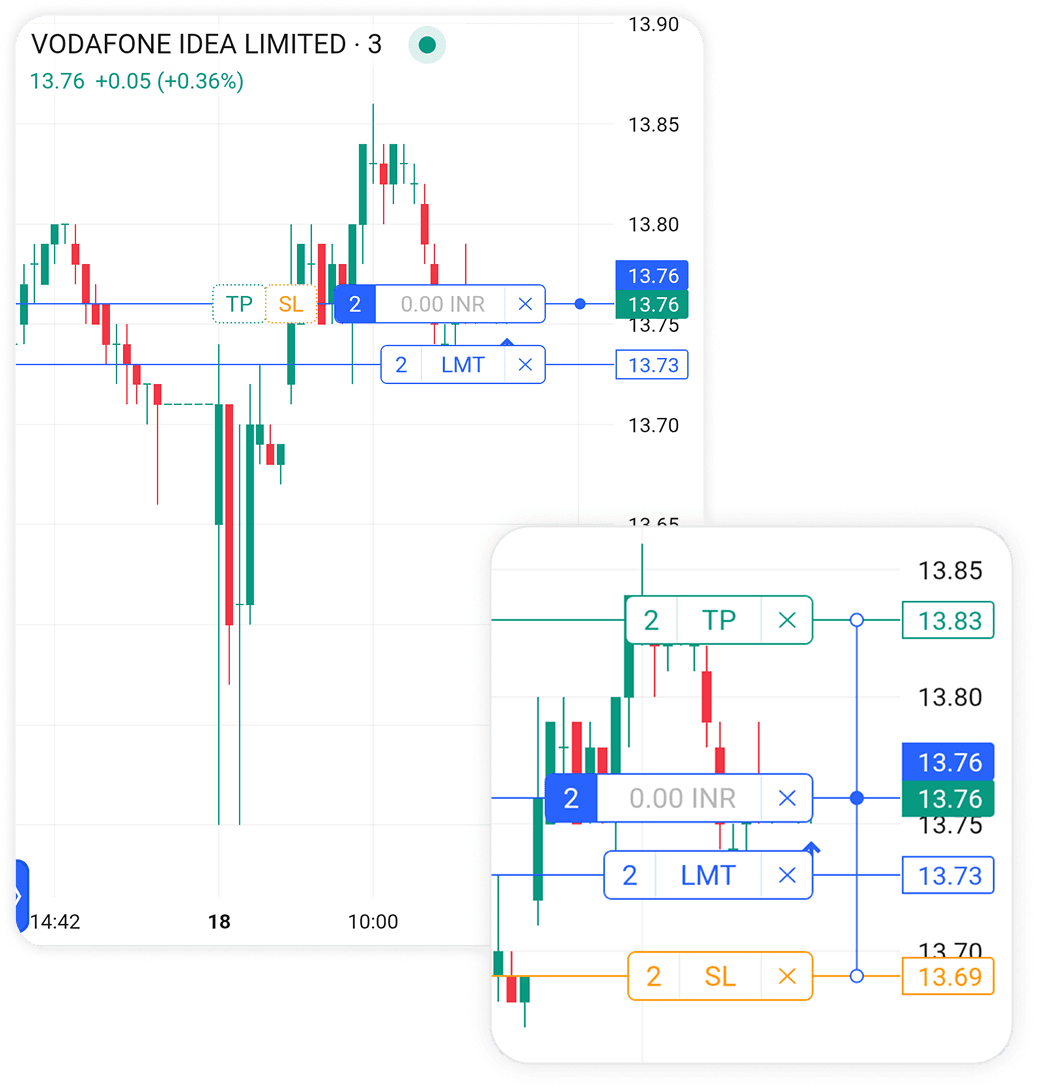
Scalper allows traders to define their preferred quantity, target, and stop-loss once.
These preferences are automatically applied to future trades, eliminating repetitive inputs and reducing execution time for recurring strategies.
The experience shifts from configuring every trade to simply validating and acting.
Stay with the Market Until the Trade Ends
Design Intent
Most trading applications separate execution from position management, forcing traders to move between multiple screens.
What I designed
Scalper keeps position monitoring within the same workspace.
Traders can:
View live P&L
Monitor the underlying index
Manage active positions
Exit instantly
—all while remaining on the original chart.
This reduces unnecessary context switching and keeps attention on the market rather than on navigation.